Xpeng, Seres, GAC, Honor, and other giants from the automotive and 3C electronics industries have successively entered the field of embodied intelligence, further increasing the popularity of humanoid robots as a form of embodied intelligence. At the same time, various application scenarios for humanoid robots have emerged, and meeting these needs requires further adaptation and simulation of humanoid robots, including increasing load, modifying form, and retraining to meet the requirements of various application environments.
Using Nanjing Yueqing Technology’s iRobotCAM embodied intelligent design software as a tool, this paper demonstrates how to design the joints of a humanoid robot and generate a model based on the robot’s kinematic architecture to meet the robot’s training and simulation needs.
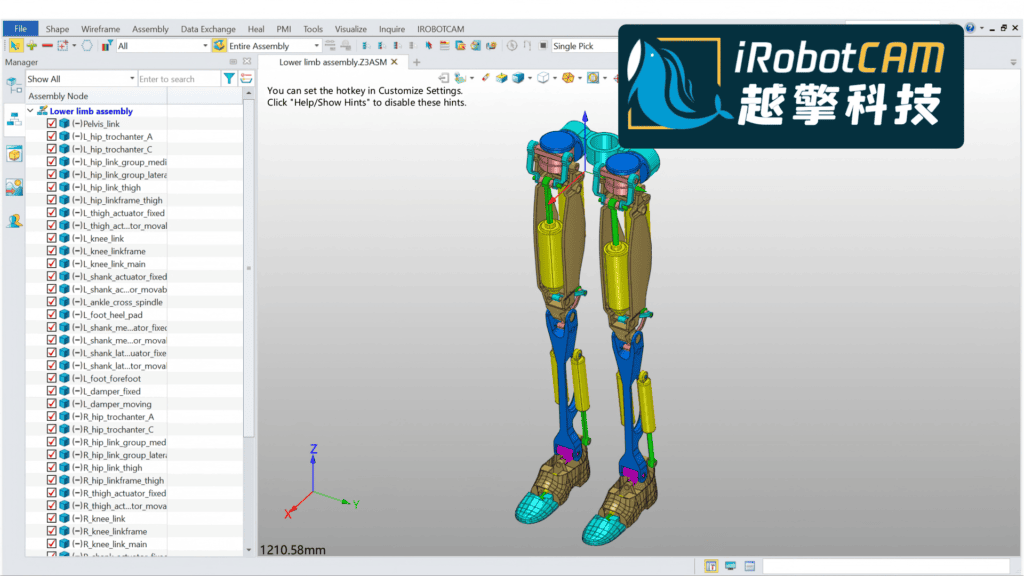
The core design of embodied intelligent products revolves around two aspects: structural design and simulation. This involves a vast array of toolchains, utilizing various 3D modeling and design software, including Catia, Solidworks, NX, and Inventor, primarily to meet structural design needs. Simulation requirements are met using software such as MATLAB and Adams, ultimately involving various mathematical and dynamic solutions to satisfy mass production design requirements. For the embodied intelligence design process, iRobotCAM’s core technical architecture is based on CAD 3D geometry. Specifically targeting the embodied intelligence field, it bridges the design and simulation gaps. Its skeletal joint design architecture enables rapid design and generation of kinematic models, compatible with various simulation software such as ISAAC Sim and Open Sim. So how does iRobotCAM realize the design logic of humanoid robot products step by step?
1. iRobotCAM is based on a 3D geometry kernel and can import data formats from various 3D software, including Catia, Solidworks, NX, Creo, Inventor, etc. By importing the robot dog file using multiple files, a 3D structural diagram of the robot dog can be created in iRobotCAM. Using the 3D modeling function of the ZW3D platform, it can be modified and the reference coordinates of various components can be established.
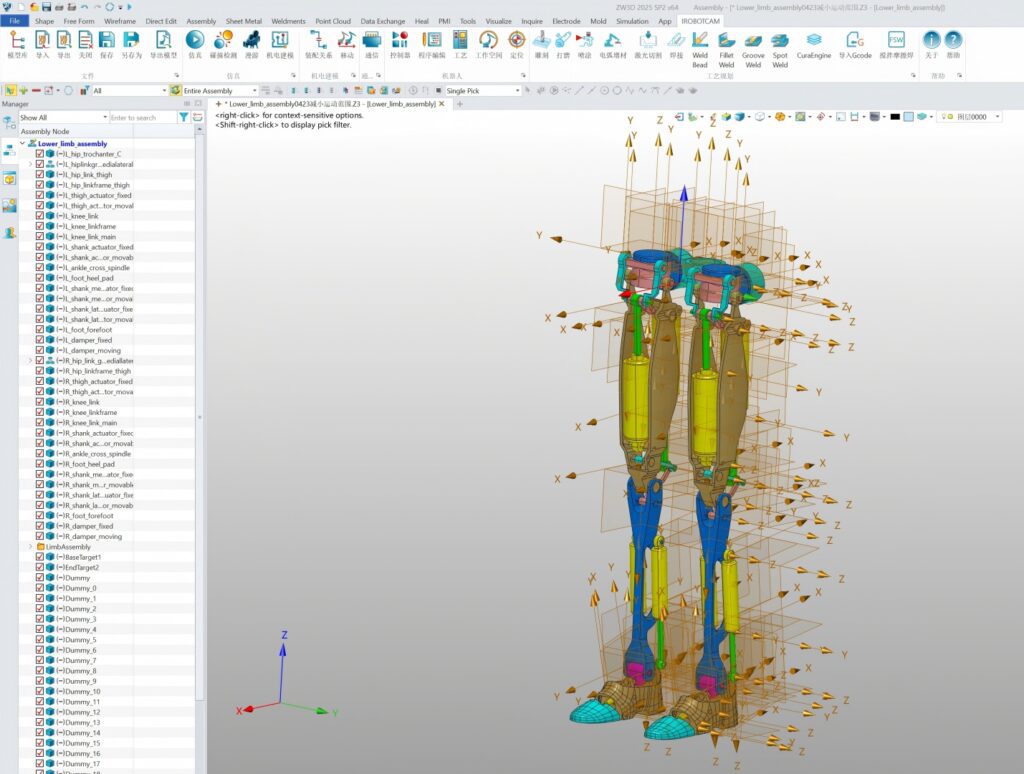
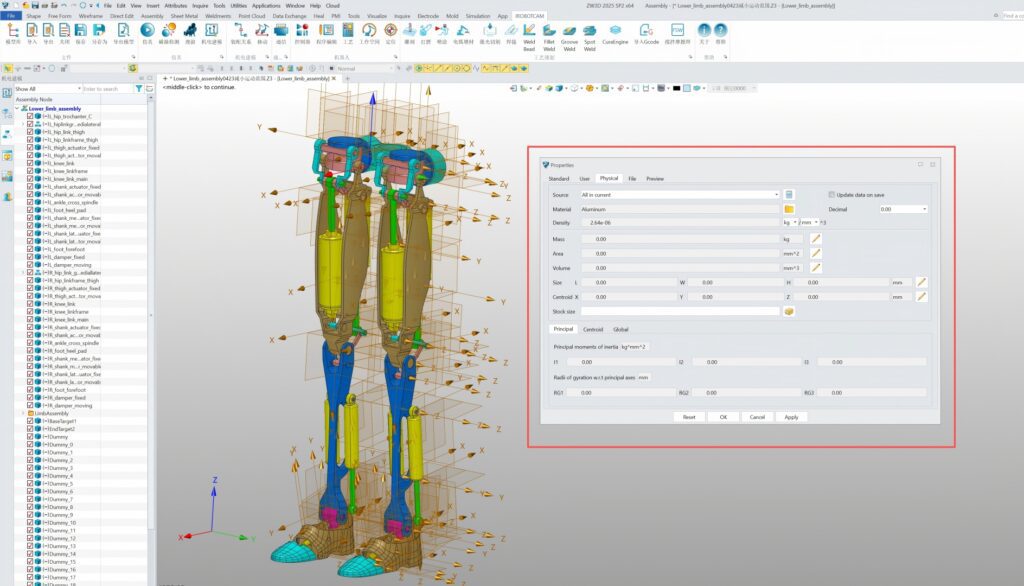
2. Utilizing convenient assembly management functions, material properties for each part can be quickly set, and physical characteristics such as inertia can be calculated.
3. iRobotCAM, as a professional robot design and simulation software, can create electromechanical objects and kinematic pairs using its electromechanical design functions, including collision detection.
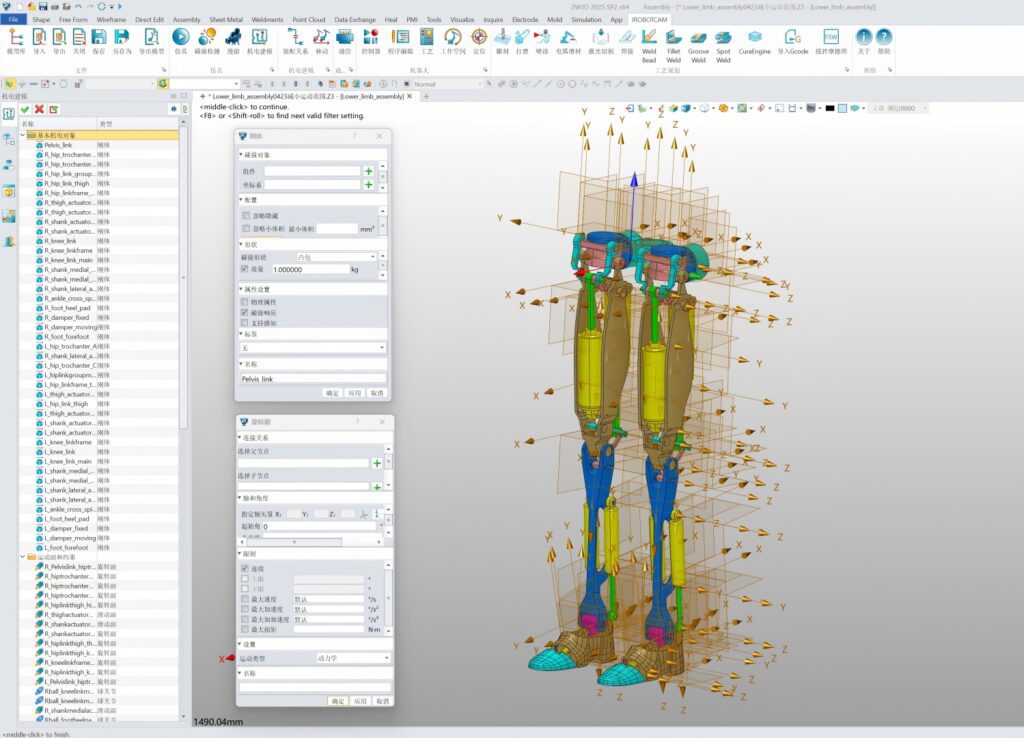
4. For components with parallel structures, motion group design can be implemented.
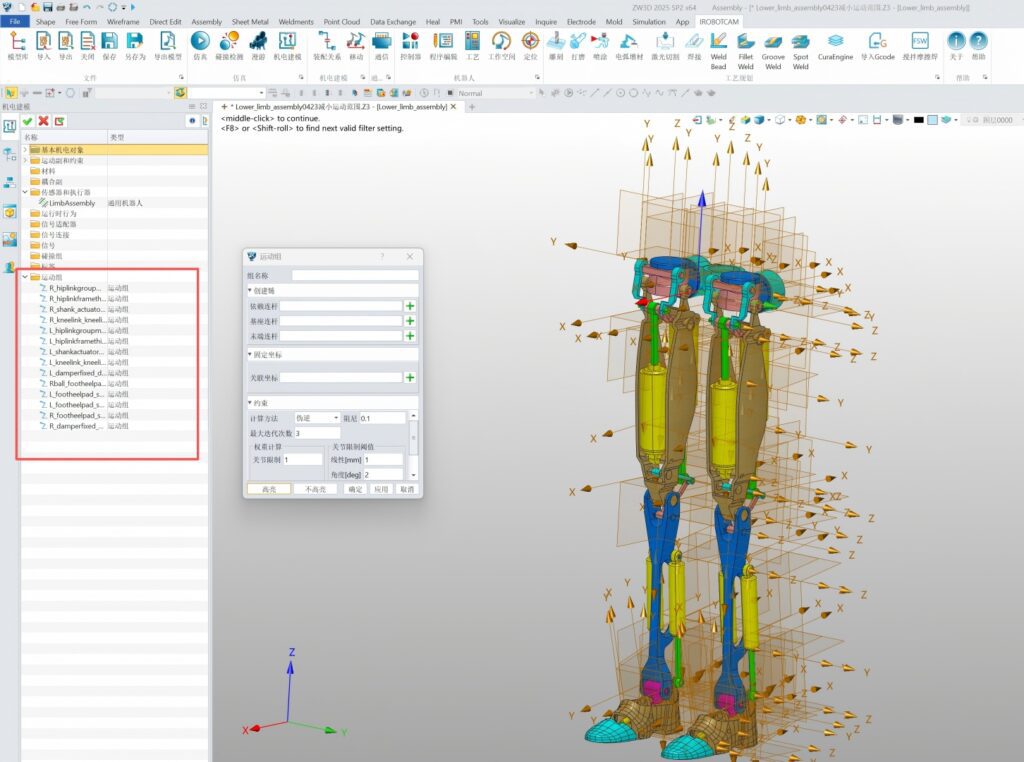
5. By utilizing a convenient skeletal-style robot joint design panel, all joint mechanisms of the robot can be connected to form a complete embodied intelligent general-purpose robot.
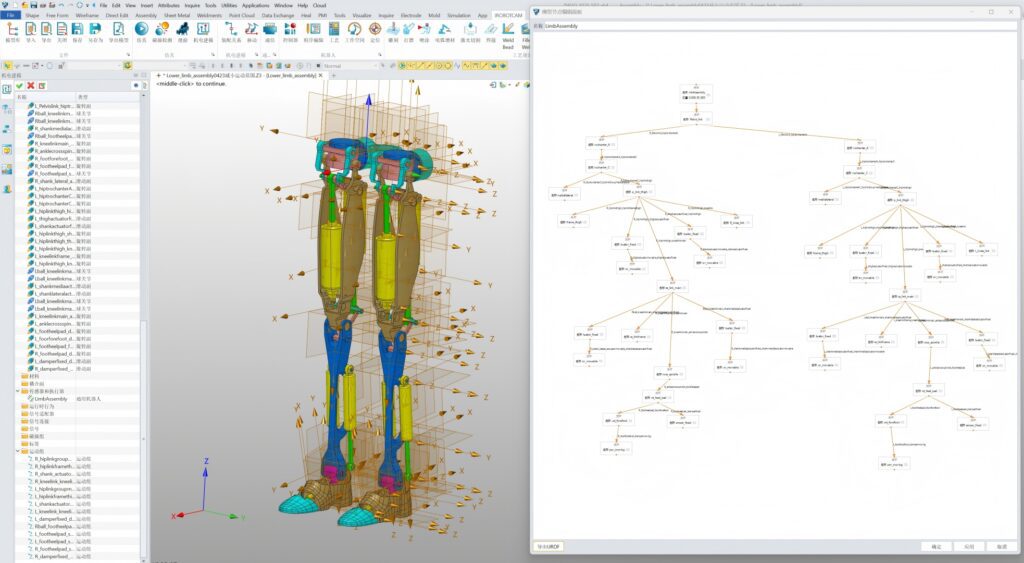
6. Utilizing iRobotCAM’s convenient URDF import and export functions, it can generate universal URDF files or MuJoCo XML files to seamlessly meet the simulation needs of mainstream biomechanical engines such as MuJoCo, Simbody, OpenSim, and Isaac sim.
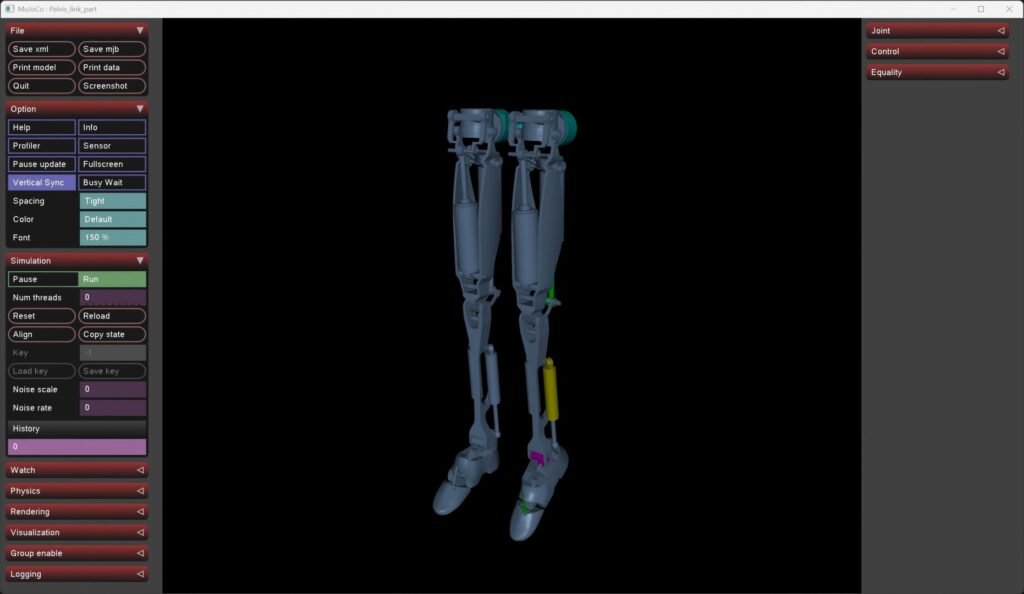
Using the iRobotCAM embodied intelligence design tool, modifying models of humanoid robots and other oriented intelligent systems is no longer cumbersome. A complete dynamic model ensures data accuracy at the data source, significantly accelerating the simulation training efficiency for robot application scenarios.
About Nanjing Yueqing Information Technology Co., Ltd.
Nanjing Yueqing Technology is committed to creating the open iRobotCAM embodied intelligent robot design and simulation platform, which is an integrated solution for embodied intelligent design, electromechanical design, offline programming, and virtual debugging.
iRobotCAM website: www.iRobotCAM.cn, contact email: cooperation@iRobotCAM.com